

What counts as a warranty issue
Set the bar low. If something on your rig is not working as it should while the item is still in date, it is worth logging, even if it seems minor now. A small fault that gets worse is much easier to deal with when you have a dated note showing you spotted it early. Everyday examples are the kind of thing most owners would otherwise shrug off: the fridge not cooling the way it used to, the awning motor playing up, a water stain creeping in around a window, an odd noise from the suspension. None of those needs to be a crisis to be worth a note. If you are not sure whether something qualifies, open the help sheet titled What counts as a warranty issue? from the help icon in the top corner of the form. It lists common examples and explains, in plain terms, why a dated note now beats trying to reconstruct the story later.Log an issue
Logging an issue takes well under a minute. The form is deliberately short, so you can write the problem down before it slips your mind and add the detail later if you want to.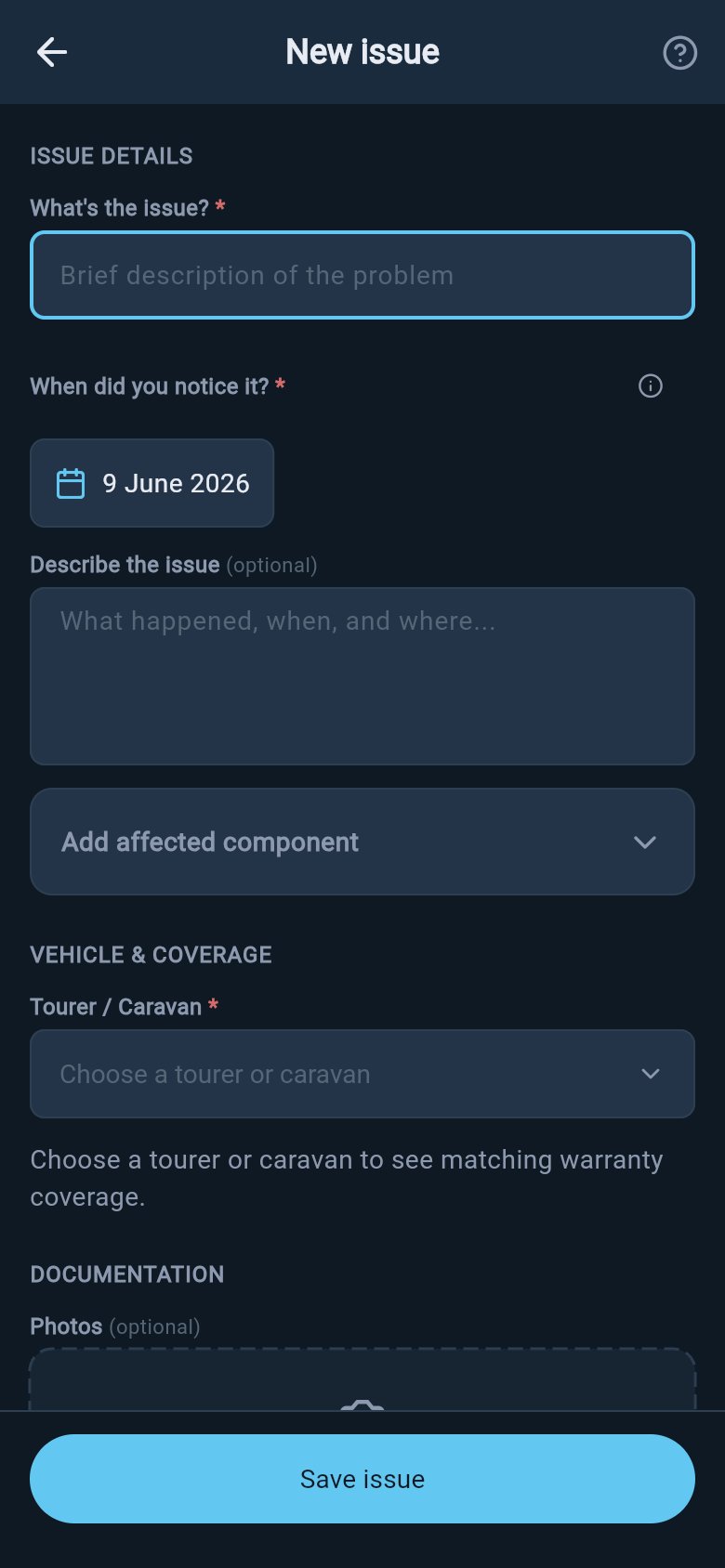
Log a warranty issue
1
Open the form
From the Warranty hub, tap Log an issue. Or, if you already know which warranty is affected, open that coverage record and tap Log an issue for this component — that route starts the form with the cover already linked.
2
Give it a title
Under What’s the issue?, write a short, plain description such as “fridge not cooling” or “awning won’t retract”. This is the line you will recognise it by later.
3
Set the date you first noticed it
Tap When did you notice it? and choose the day the problem first appeared. This is the most important field on the form, and it cannot be set in the future, because you can only have noticed something that has already happened.
4
Add any detail you have (all optional)
You can describe what happened in the Describe the issue field, name the Affected component in your own words such as “hot water system” or “front window seal”, and add photos if you have them. None of this is required; a title and a date are enough to log.
5
Save
Tap Save issue. The issue is kept against that vehicle or trailer, and it also appears on your rig’s activity timeline so there is a record of when you logged it.
Link it to the right cover
The real value of an issue is the link to the warranty that covers it. The form lists the coverage records you have already added for that vehicle or trailer as tappable options, so you do not have to remember dates or policy numbers.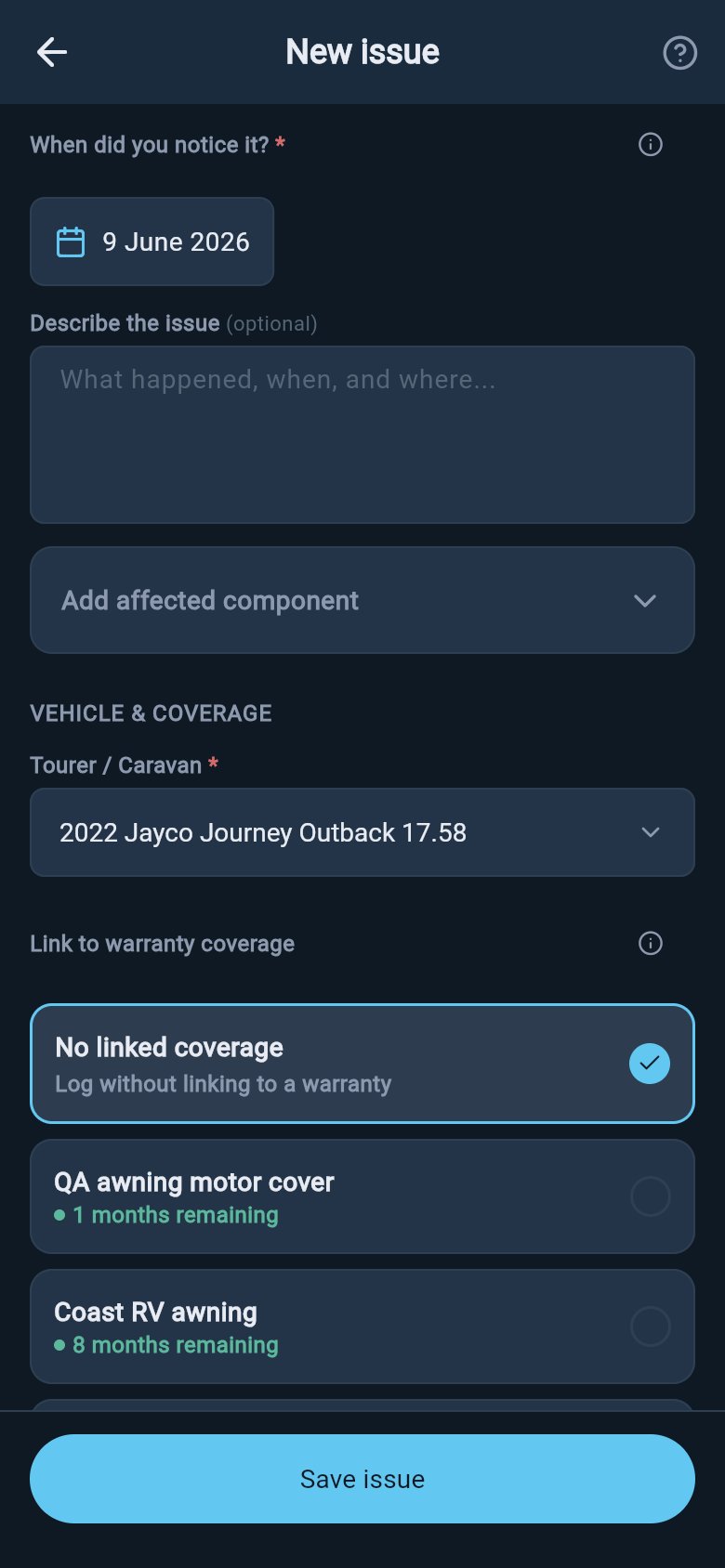
Link an issue to coverage
Where to go next
A logged issue is just the start. From here you can revisit it, keep a dated record of what happens next, and save the whole claim as evidence. These pages cover the rest of the warranty workflow.Track a warranty claim
Keep a dated record of every call, email, and visit after you log the problem, and set the status as it moves along.
Save an evidence PDF
Save the whole claim as a tidy, branded PDF to hand to a dealer, maker, or consumer-protection body.
Review and edit an issue
Open a logged issue to read or change its details, add or remove photos, and update the linked cover.
Add warranty coverage
Record a manufacturer, extended, or component warranty so there is a cover to link your issues to.
Service records
Keep your service history alongside your warranty cover for a full picture of how the rig has been looked after.
Exploring is free for everyone, including demo and lapsed users: you can open the form, browse the coverage picker, and read the help sheets without upgrading. Saving a real change on your own rig — creating or editing an issue, adding a photo, or linking a cover — requires Pro. Demo data stays visible so you can see how it all works, but it cannot be edited.