

How loadmate estimates between updates
Even before you confirm anything, your distance countdowns need a current figure to count from. So loadmate works one out: it takes your last confirmed reading and adds up the distance of the trips you have finished since. That total is your working figure until you enter a fresh reading. This is a plain sum of the trips you have recorded — not a clever prediction, and not a guess that learns over time. Because it only counts trips you have logged, it does not know about everyday driving or any towing you did not record, so a reading you confirm yourself is always better. Whenever loadmate is showing a worked-out figure rather than a measured one, it labels it as Estimated so you are never in any doubt. Your caravan is estimated the same way, counted on its own trips — see Your odometer history for how each asset keeps its own readings.A gentle reminder after about a month
When your last confirmed reading is around a month old, a quiet banner appears near your service schedule on the maintenance hub. It is titled Odometer needs updating and shows which figure your distance countdowns are currently using. An Update button opens the odometer sheet. It is a courtesy, not a warning: your countdowns keep working from the latest estimate in the meantime.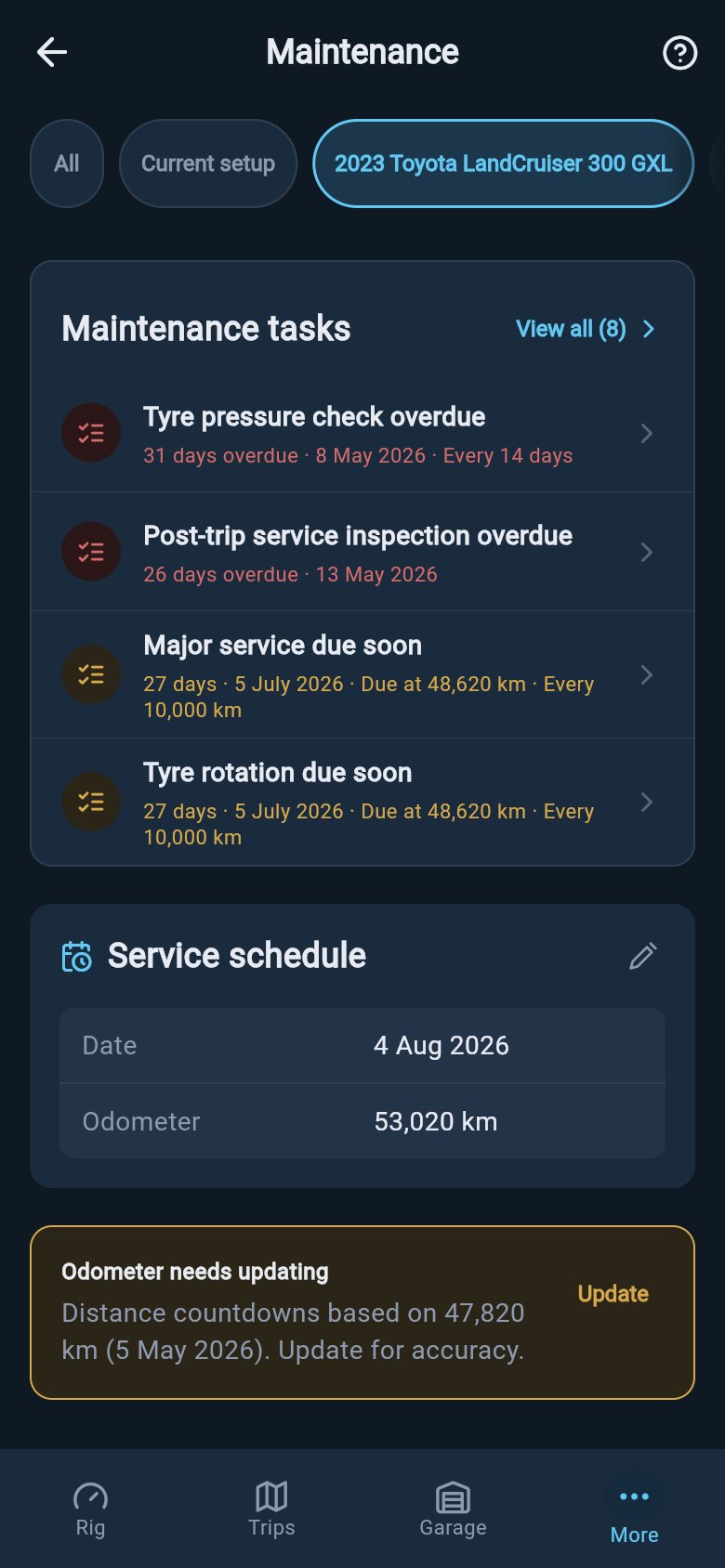
A stronger nudge after around three months
If a reading goes a good while longer without an update — around three months — the prompt moves up to your Rig attention feed, the list of things your rig wants you to look at, as a single item asking you to refresh it. By now your figures have been running on an estimate for a while, so a confirmed reading is worth the moment it takes. A quick Still about right? or a fresh New reading clears it.These reminders only appear for assets where you are actually tracking maintenance or trips, and they never escalate beyond a calm nudge. loadmate does not book appointments, contact a workshop, or arrange anything on your behalf — keeping the reading fresh is the only thing it asks of you.
If you have been away
Coming back to loadmate after a season away should not greet you with a wall of stale-reading flags. So if you have not opened the app for a while — about a month or more — it holds these reminders back rather than piling them up. They return gently once you are using the rig again, so you can settle back in first.Keeping your due dates accurate
A fresh reading is what makes the whole maintenance picture trustworthy. With the odometer current, your service schedule counts down to the real distance remaining before your next service, and every distance-based task shows a countdown you can rely on rather than one quietly running on an old number. With a fresh reading, due in 800 km really means 800 km to go. With a stale one, that same figure might have been true thousands of kilometres ago.Keep your odometer current
Add or confirm a reading, and see how the odometer stays current as you travel.
Your odometer history
See every reading loadmate holds, where each one came from, and how to fix one that looks wrong.
Pre-trip checklist
See how a current reading lets your pre-trip checks project forward accurately.
Activity and alerts
Understand the alerts that appear on your rig, including the odometer nudge.