

Find your version and build
At the very top of the About screen you will see the loadmate brand mark, and just beneath it a small line giving your version number and build number.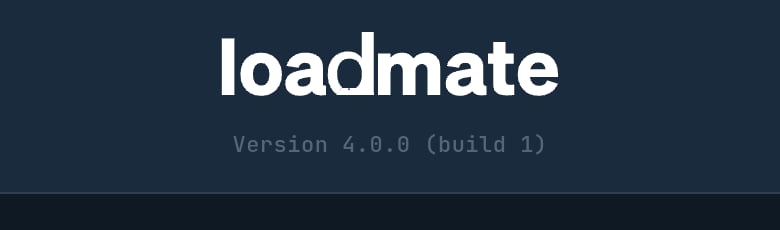
The version and build line at the top of About — the figure support asks for.
The version line only appears once loadmate has finished loading its app information, which takes a moment after the screen opens. If it has not shown yet, wait a second and it will appear.
The legal documents — and what you accepted
Under the LEGAL heading you will find four documents you can open and read at any time:- Terms of Use — the agreement that covers your use of loadmate.
- Privacy Policy — how your information is handled.
- Safety Disclaimer — what loadmate is, and what it is not (explained in plain language in the next section).
- Open source licences — the credits for the software components loadmate is built on.
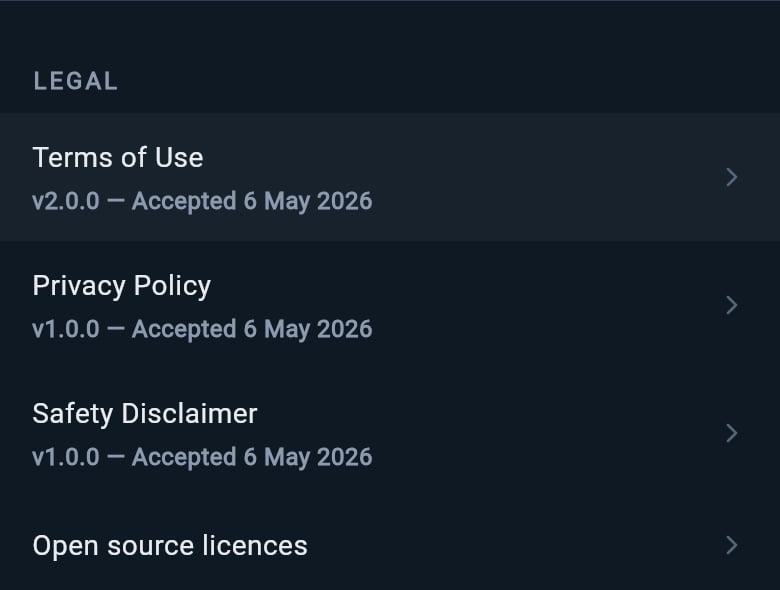
The four legal documents, with the version and acceptance date shown on the first three.
Right at the bottom of the screen, below the support options, there is a small footer noting that loadmate is made in Western Australia, the copyright line for 4Thought RV Pty Ltd trading as loadmate, and the company ABN. It is there for the record — nothing to tap.
What the safety disclaimer actually means
The Safety Disclaimer is worth reading once, because it sets out — in loadmate’s own words — exactly what the app is for. In plain terms: loadmate is a planning and awareness tool. It works from the numbers and documents you give it to help you understand your towing setup and make informed decisions. It does not make those decisions for you, and it does not certify, approve or guarantee any outcome. That matters because of what loadmate is not a substitute for. It is not a replacement for a professional mechanical inspection, a certified weighbridge measurement of your actual weights, engineering certification, legal compliance advice, or your manufacturer’s own specifications. Everything loadmate shows depends on the numbers you enter. So your plate, your handbook, your weighbridge ticket, your mechanic, and your local road authority remain the source of truth whenever you need an official answer. Think of loadmate as the companion that helps you see your setup clearly and keep good records — not the authority that signs it off. If you are ever in doubt about whether your towing setup is safe or legal, get independent professional advice before you tow.Contact support
Under the SUPPORT heading, Contact support is the direct line to the loadmate team. Its sublabel shows the support email address you will be writing to.1
Tap Contact support
loadmate opens a new email addressed to the support team in your usual mail app, so you can write to us the way you write any other email.
2
Tell us what happened
Describe what you were doing and what you saw. The more specific you can be — which screen you were on, what you tapped, what appeared — the faster we can help.
3
Send it
Send the email as normal. The version and build line from the top of this screen helps us place exactly which build you are on.
Rate loadmate
Just below Contact support, Rate loadmate is there if you would like to leave a review. Its sublabel changes with your device: on an iPhone or iPad it points you to the App Store, on an Android phone or tablet to the Play Store. On a desktop browser there is no sublabel, since there is no app store to rate in. Tapping it asks your device to bring up its rating prompt, and where that is not available it opens the store listing instead. Your device decides whether the quick in-app rating box appears — sometimes the operating system holds it back, in which case you are taken to the store page to leave your review there. Either way, a kind word genuinely helps other caravanners find loadmate.Where to go next
About is the reference corner of loadmate. These pages cover the everyday account jobs that sit alongside it.Help and feedback
Find the in-app help, send feedback, and see the other ways to reach the loadmate team.
Create your account
See how setting up your account is where you first accept the terms, privacy policy and safety disclaimer.
Manage your subscription
Check what your plan includes, and manage or restore your loadmate subscription.