

Start with what you can see
loadmate names the situation on screen before anything else happens, so the first move is always to read the message in front of you rather than guess. A connection message, a banner saying you are in the demo rig, a sheet asking you to upgrade, and a locked score with a line under it are all clear, readable states. None of them is a silent failure, and none of them throws away what you typed. Once you have read the message, the rest is matching. Each card on this page covers one of those states and sends you to the page that walks you through it. If what you see does not match any of them, that is when it is worth contacting us, and the last section shows you how.1
Read the message on screen
Look at the top of the screen for a banner, and read any message, sheet, or line of text loadmate is showing you. That message is the diagnosis, written in plain words.
2
Match it to a card below
Find the section that describes what you are seeing — a blocked save, a sign-in problem, a connection message, or a score that moved or locked — and open the page it links to.
3
If nothing matches, contact us
If the message does not fit any of these, head to the Still stuck? Contact us section and email us with what you saw.
Something I changed did not stick
If you made a change and it did not save, the save was almost certainly blocked on purpose, and what you typed was not lost. There are three common reasons loadmate holds a save: you are looking at the demo rig, your Pro has ended, or you have not upgraded yet and the upgrade sheet appeared. A fourth, separate case is a photo that would not attach, which comes down to your device’s camera or photo permission rather than anything in loadmate. In every one of these, loadmate blocks the save, not your work. The page below names each banner and sheet so you can tell in a few seconds which one you are looking at, and what to do next.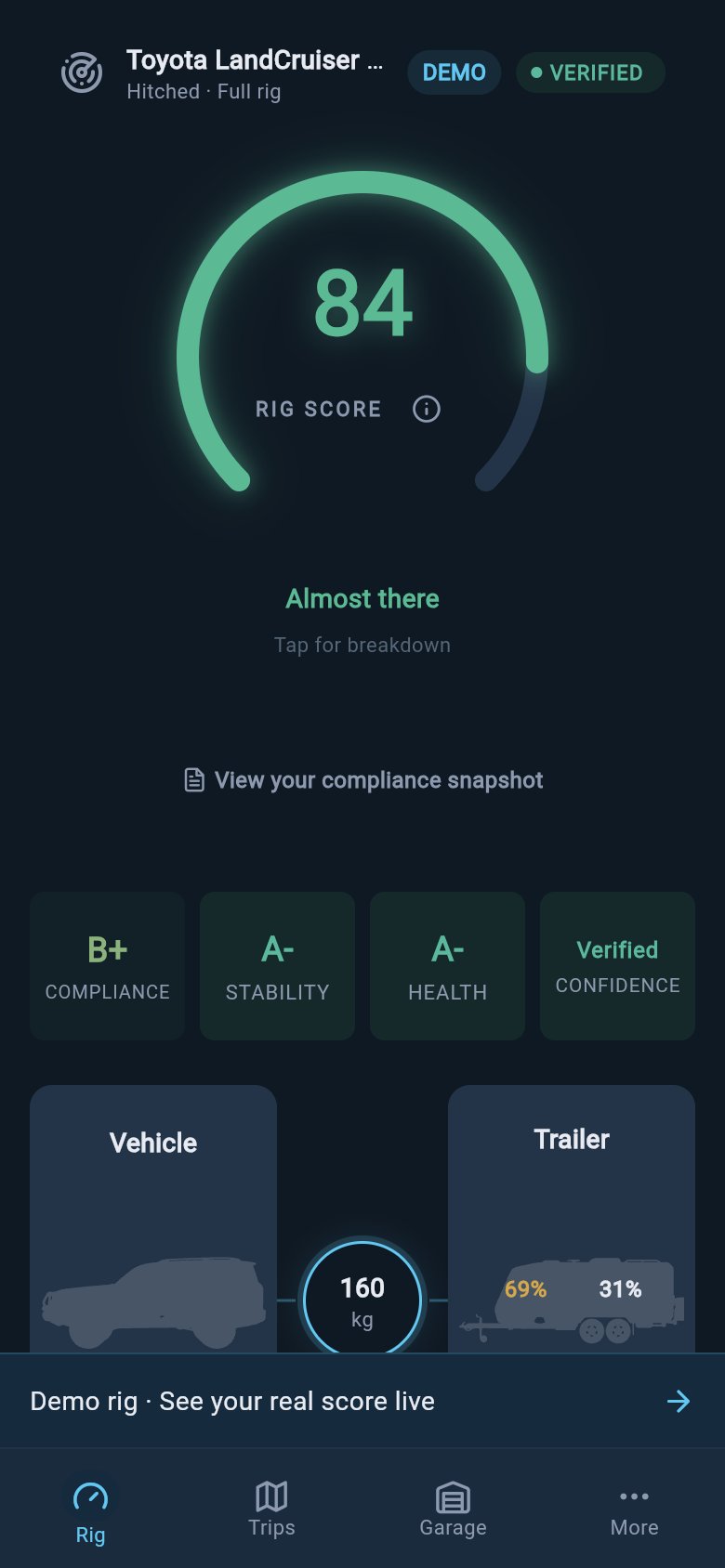
Demo mode keeps a visible banner on populated screens so you know sample data is read-only.
I cannot get into my account
Being locked out feels like everything inside is gone, but it is not. Your rig is tied to your account and simply waits for you to get back in; signing in does not load or lose any of your towing data. Most sign-in failures come down to two fixable things: using a different method than the one you signed up with, or a small typo in the email or password. Signing in does need a live connection, since loadmate has to check your account with our servers. The page below covers the sign-in methods, what the on-screen messages mean in plain English, and how to reset a password you cannot remember.The app says it cannot connect
Almost everything you do in loadmate keeps working without a signal, because your data lives on your device and routine edits queue quietly and sync the next time you are online. So if you add a load or change a weight in a dead spot, that change waits and saves itself later; you do not lose it. The connection message is not app-wide. A small set of actions do need the network right then — signing in, account changes, and subscription steps — and those are the ones that show a connection message with Try Again and Continue Offline. The page below explains which actions wait, which retry, and the separate case where loadmate cannot reach our servers at all.My score looks wrong or is locked
A readiness score that has changed and a score that is locked are two different situations, with two different pages. If the number moved since you last looked, that is loadmate responding to something you did — a new load, a weigh-in, a service logged — and the score-changed page shows you how to trace the move back to its cause. If the gauge is locked and shows a line under it asking for a value, loadmate is not guessing a number it cannot stand behind. It needs one missing input, such as a plate rating or a baseline weight, before it will show a score. The missing-data page walks you through reading that line and filling the gap.Still stuck? Contact us
If none of the pages above match what you are seeing, the next step is to email us. From the More tab, open Help and feedback, and your email app opens with the details already filled in, so you do not have to describe your setup from scratch. A real person reads and replies; there is no in-app chat or case tracker, so the reply comes back to your email. There is no in-app FAQ or help-centre screen to dig through — these docs and that email path are the support route. The full walk-through of the help-and-feedback step, including what gets filled in for you, lives on its own page, linked below.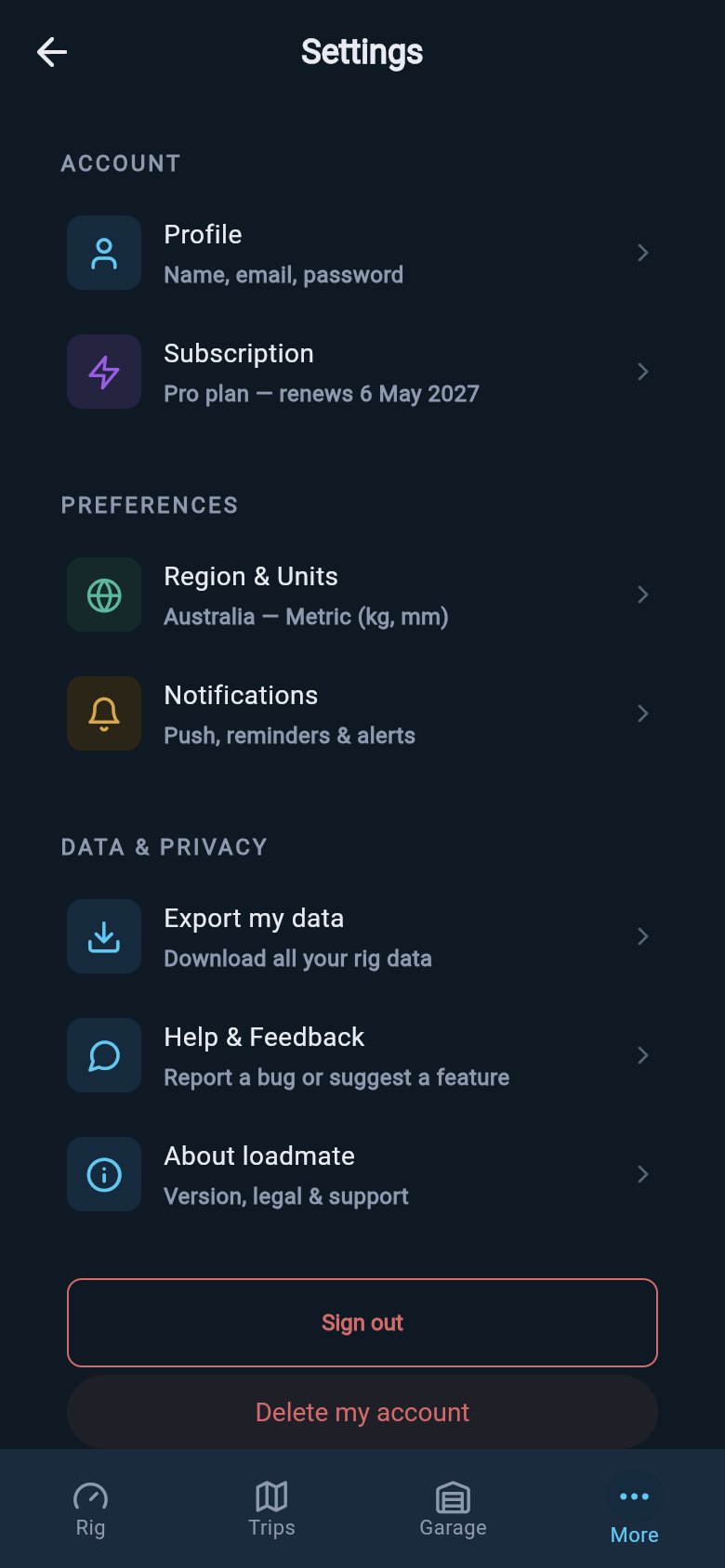
Help & Support lives on the More tab, beside Settings and account tools.
Where to go next
My changes are not saving
Work out which of the three expected blocks — demo, lapsed Pro, or not-yet-upgraded — is holding your save, and what to do about it.
I cannot sign in
Get back into your account, whichever method you used, and read what the sign-in messages actually mean.
When loadmate cannot connect
Tell the three connection states apart and know which actions wait, which retry, and which need support.
My score changed
Trace a readiness score that moved back to the load, weigh-in, or service that caused it.
Reading help is free for everyone, including demo and lapsed users. This page only points you at the right fix; it never changes your data. The pages it links to are clear about what needs Pro — saving on your own rig requires Pro, demo data stays read-only, and a lapsed Pro is read-only until you renew — but looking around and getting back to towing costs nothing.