

Where to find it
You will find this setting under Region & Units. Open the More tab, then Settings, then Region & Units. On a larger screen, such as a tablet, the same controls may sit in a panel beside your other settings rather than on their own page — but it is the same list, and it works the same way.Choosing your region
The screen lists four regions, each with a flag, its name, and a short preview of the towing words it uses. Pick the market your vehicle and trailer paperwork comes from — not necessarily where you happen to be travelling today. If your van’s compliance plate is Australian, choose Australia, even if you are touring abroad.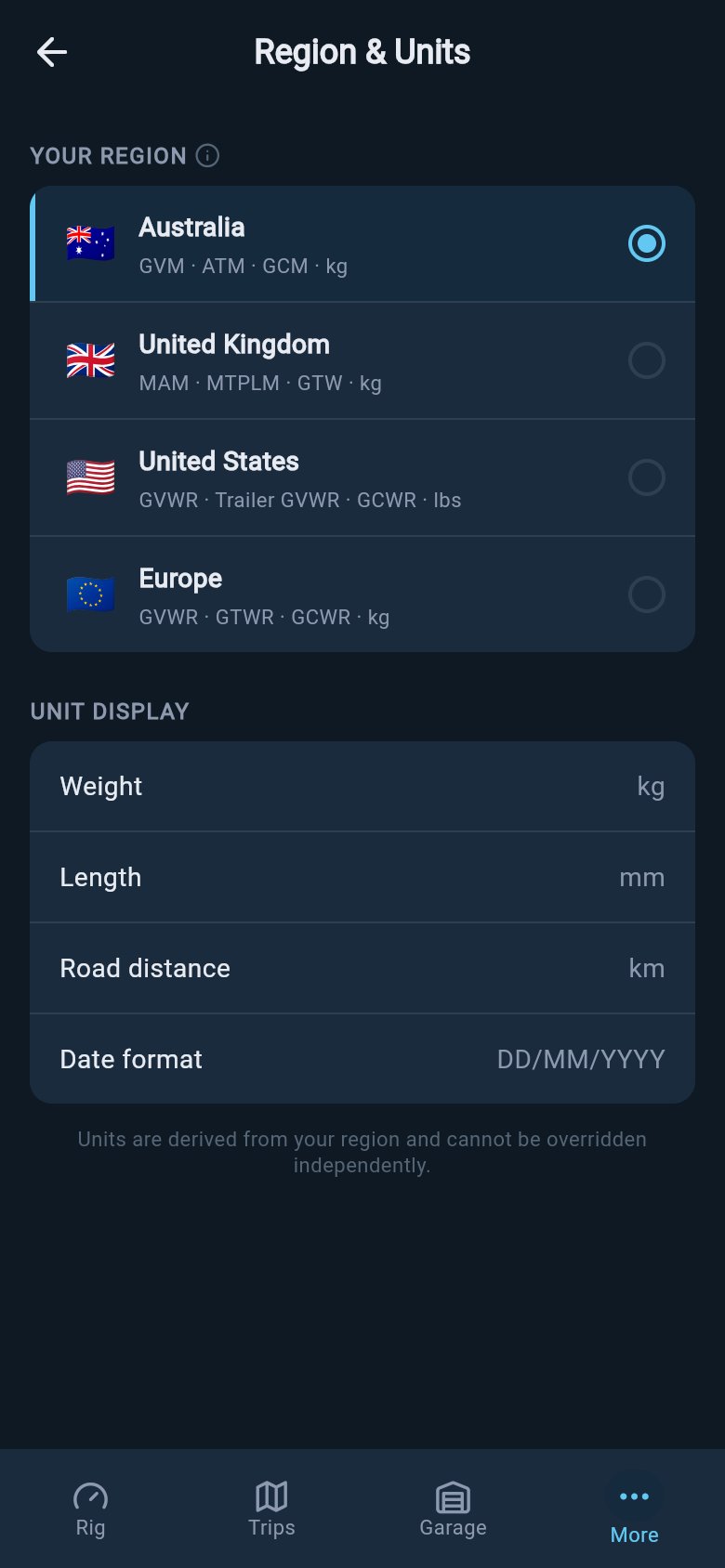
The four regions, each previewing the towing terms it uses. Pick the market your paperwork comes from.
- Australia — GVM, ATM, GCM, with weights in kilograms.
- United Kingdom — MAM, MTPLM, GTW, with weights in kilograms.
- United States — GVWR, Trailer GVWR, GCWR, with weights in pounds.
- Europe — GVWR, GTWR, GCWR, with weights in kilograms.
Tapping the region you are already on does nothing — there is no change to confirm, so the screen simply stays as it is. To switch, tap a different region.
What your region changes
Below the region list, loadmate shows you exactly which units it will use, so there are no surprises. There are three rows: the unit it shows weights in, the unit it shows lengths in, and the way it writes dates.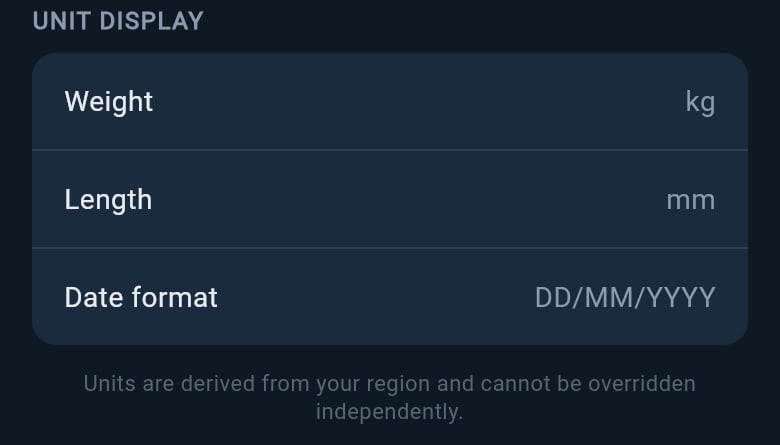
The units each region uses, with the reminder that units follow your region — there is no separate unit switch.
Confirming a region change
Because switching region re-words and re-units every screen, loadmate always asks you to confirm first. When you tap a new region, a short dialog appears asking whether you want to change to that region.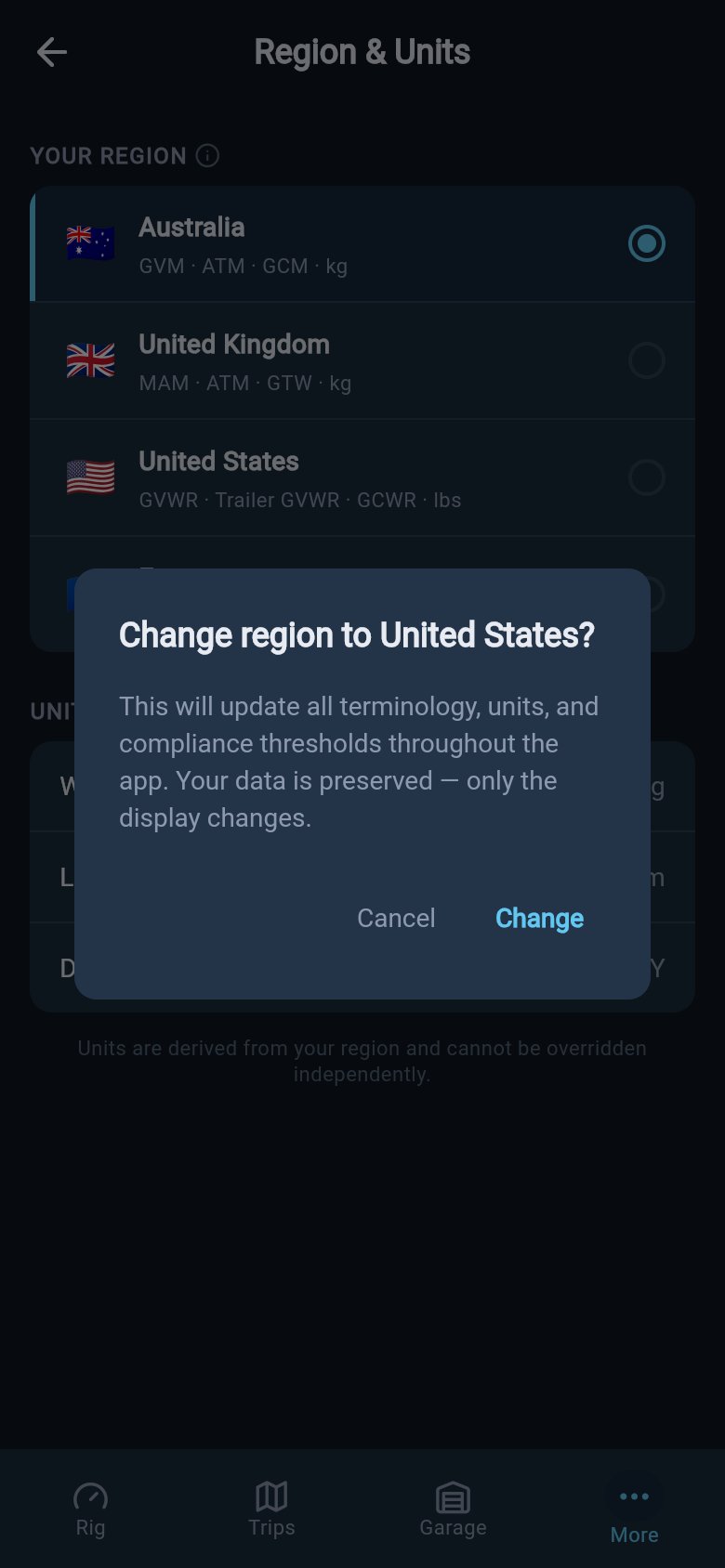
Switching region always asks first — and reassures you that only the wording and units change, never your saved figures.
1
Tap the region you want
Choose a region other than the one you are on. The confirmation dialog appears straight away.
2
Read the reassurance
The dialog tells you what is about to happen: the towing terms, units, and the compliance figures shown across the app will update to the new region. Crucially, it reassures you that your data is preserved — only the display changes. The weights and ratings you have already entered stay exactly as they are; only the words and units around them shift.
3
Choose Change or Cancel
Tap Change to apply the new region, or Cancel to stay where you were. Nothing is changed unless you tap Change.
Saving a region change needs a connection. If you are offline when you tap Change, loadmate lets you know there is no connection and keeps your old region until you are back online — it never saves the change half-finished. This is about saving safely, not about a paid feature: choosing your region is free for everyone.
Why units follow your region
There is no separate kilograms-or-pounds switch, and that is on purpose. Units are not chosen on their own — they follow your region. The screen says as much: units are derived from your region and cannot be set independently. This keeps things consistent. A single market always pairs the same words with the same units, just as your paperwork does. The United States uses pounds and inches together, because that is how American plates are written. Australia uses kilograms and millimetres together. One choice, and everything stays in step.Your region helps loadmate’s labels match your source documents and shows the compliance figures for that market. It does not decide local road rules or grant legal permission for a trip — that judgement is always yours. Region matches the words and units; it does not approve a tow.
Where to go next
Once your region is set, these pages help you put the matching terms and units to work.Glossary
Every towing weight word, spelled out in plain English for the region you have chosen.
Can I Tow It?
Compare a vehicle and trailer using the terms of the market your documents come from.
First run and setup
See where region first comes up when you set loadmate up, and how the rest follows.
Your profile and sign-in
Manage the rest of your account details alongside your region and unit choices.