

Adding items to your rig requires a Pro subscription. The Add item methods are Pro-gated, and a lapsed subscription shows a renewal notice at the top of the method picker. Demo data is read-only and is never written to.
My library vs common items
When you open the Add item sheet, two of the methods pull from a library. They look similar but draw from different places.
My library is your own shortlist. Every load you save becomes reusable, so the next trip you can add it again without rebuilding the entry. The weight comes across from the time you saved it, which is usually closer to correct for your rig.
Common items is a starting point, not a record of your gear. The weights are typical values for that kind of item, so you almost always need to confirm the real weight afterward. It is useful when you are setting up for the first time, or adding something you have not weighed yet.
If your My library is empty, that is normal at first. It fills up as you save your own items. Until then, use Common items or the Detailed form.
Permanent and trip loads
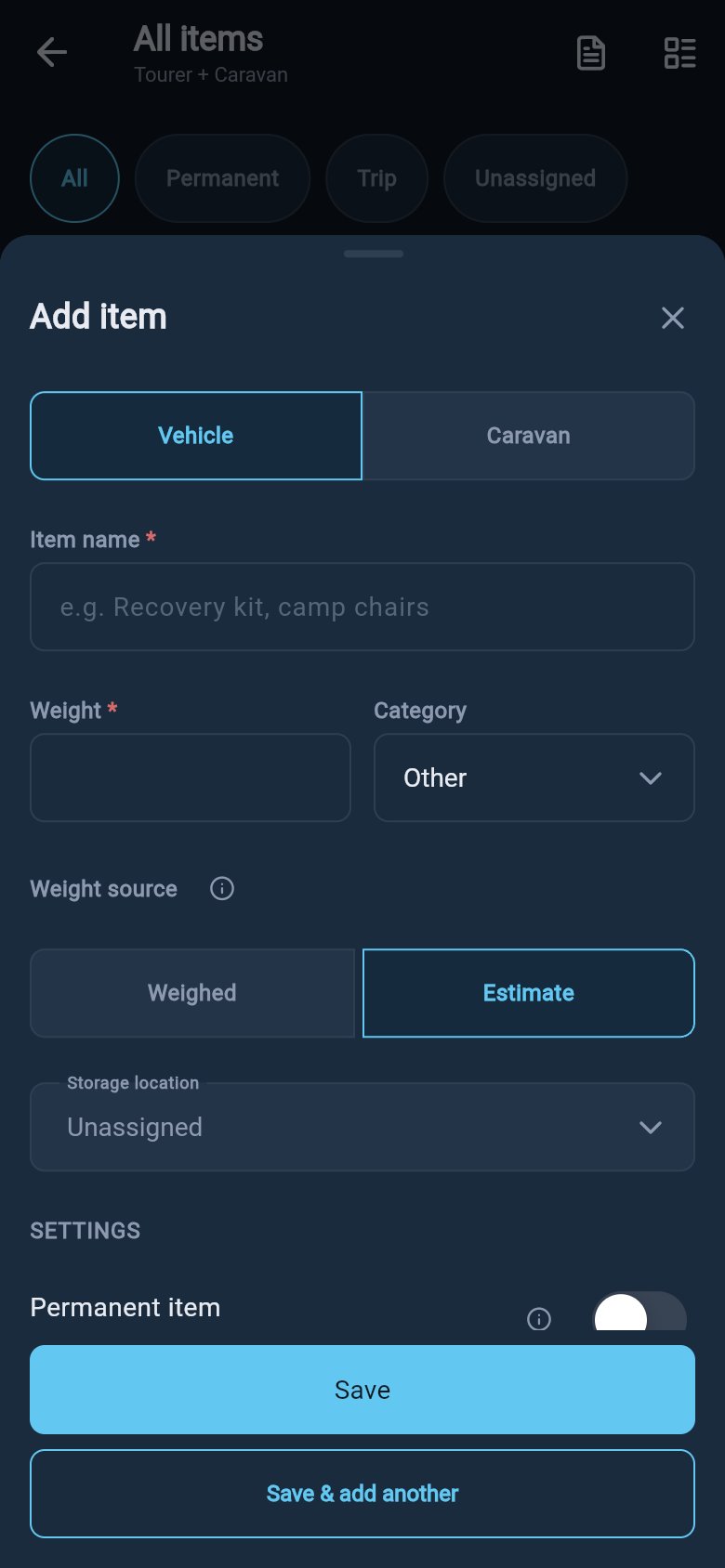
Every saved load can be marked Permanent or left as a trip load. You set this with the Permanent item toggle on the Detailed form.- Permanent item means gear that always travels, regardless of the trip. The hint reads “Always loaded, regardless of trip”. A water filter, a spare wheel, fixed tool kits, recovery boards that never come off.
- Trip load is the default when the toggle is off. It is for gear that comes and goes, such as a generator, an extra fridge, bikes, or fishing gear for one trip.
Trip load bundles, swapping whole packs of gear in and out for touring, weekends, or off-grid trips, are flagged as coming soon in the app. Marking gear Permanent now is how you tell those bundles apart later, so it is worth setting accurately even though it does not change anything yet.
Add from the library
To add an item, open the items list and choose Add item, then pick a method.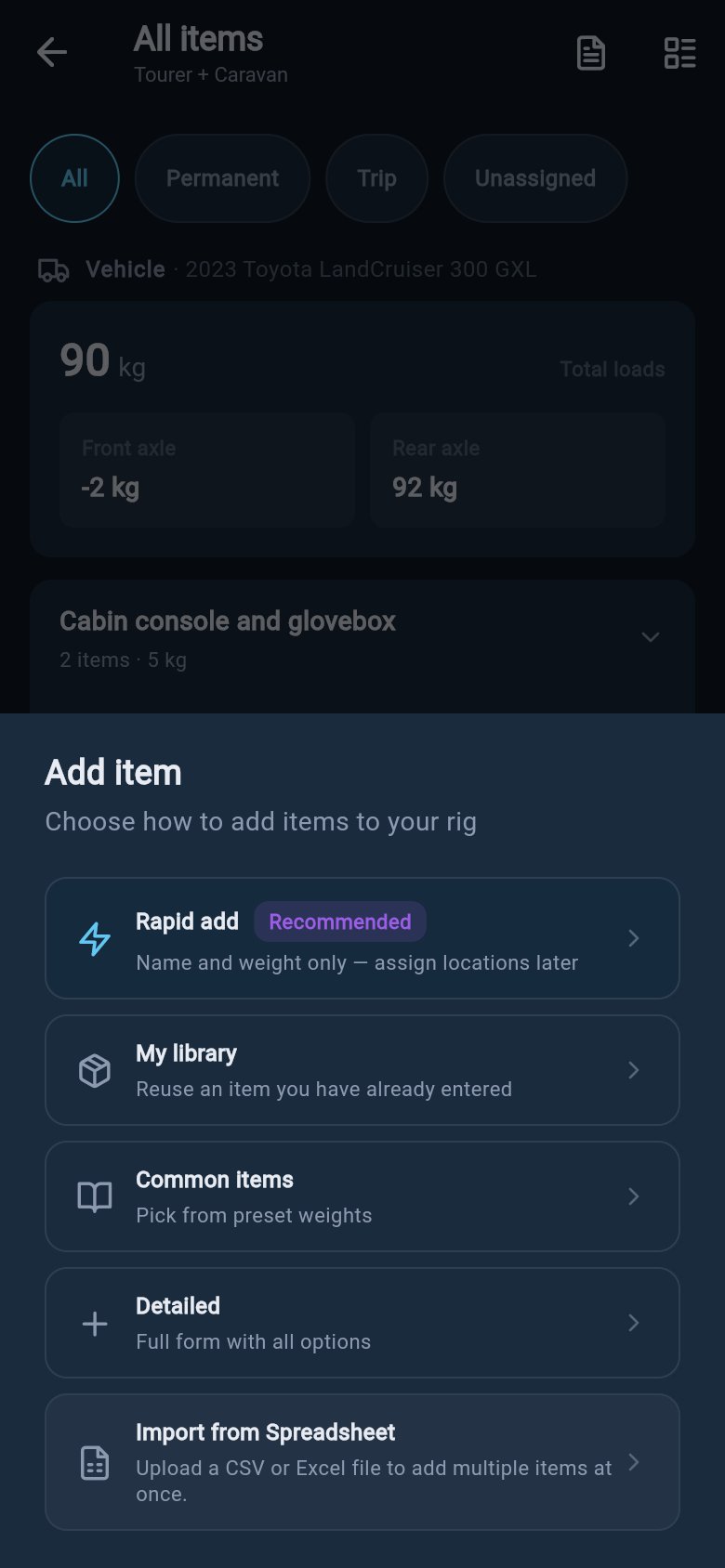
- My library
- Common items
Search for one of your saved items and choose it. loadmate opens the Detailed form pre-filled with your saved name, weight, and category, so you can adjust before saving. Choose the asset and zone, then save.
Save your own repeat items
When an item is part of your usual setup, save it so you can reuse it. Every load you add through the Detailed form is also remembered in My library under your account, so next time you can add it again from My library without rebuilding the entry. This is most useful for gear that comes and goes:- Generator.
- Extra fridge.
- Fishing gear.
- Bike rack and bikes.
- Camp chairs and table.
Keep weights accurate
The library is a shortcut, not a scale. If your item differs from the common item, use your own weight. Good sources include:- Packaging or product labels.
- A bathroom scale for smaller gear.
- A receipt or product specification.
- A measured weigh-in after the rig is packed.
Add a load
Ordinary one-off load entry, item by item.
Water and consumables
Water tanks, gas, and other variable-weight items.
Import loads
Add many items at once from a file.
Load report
Everything grouped by zone with source badges.