

Reaching support from the app
There are a few ways into support, and they all lead to the same place — a pre-filled email to hello@loadmate.io. It is an email, not a chat window or an in-app form. When you tap one of these, your own mail app opens with a draft ready to go. The most direct door is on the More tab. Look for the Help & Support row, with the line Contact us, report a bug, or get help beneath it. Tap it and your email app opens. You will find the same thing in two other places, in case that is where you happen to be:1
On the More tab
Tap Help & Support. This is the quickest route from anywhere in the app.
2
In Settings
Open Settings from the More tab, then tap Help & Feedback (Report a bug or suggest a feature).
3
On the About screen
Open About and, under the Support heading, tap Contact support. The support address — hello@loadmate.io — is shown right under that row.
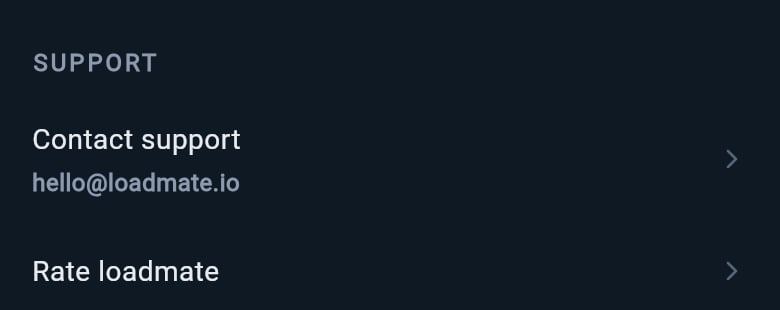
On the About screen, Contact support shows the support address right below the row.
The labels differ — Help & Support, Help & Feedback, Contact support — but they all open the same email to the same address. Use whichever you reach first.
What to put in your message
This is the part that makes it easy. When the email opens, the subject and the top of the message are already filled in for you. The subject reads loadmate support — … with a note of where you tapped from. The body lists the app version, the build, your device, your region, and a few other technical details that help us find the problem. Below all of that, you will see a line that says Please describe the issue or feedback below. That is where you come in. You only need to add, in plain words:- What you were trying to do.
- What you expected to happen.
- What actually happened instead.
When you have no connection
You can still write your message when you are out of signal. Tapping a support link opens your mail app and fills in the draft using details already stored on your device, so you can type away from a quiet campsite or a remote road. Your mail app holds the message and sends it once you are back online — there is nothing special you need to do. If your device has no email app set up at all, loadmate cannot open one, and you will see a short message saying No email app is available on this device. Occasionally, if something goes wrong opening the mail app, you will see We couldn’t open your email app right now. Please try again. In that case, try once more, or write to hello@loadmate.io directly from any email program you use. If the trouble is with your connection more broadly — pages not loading, data not syncing — there is more help on When you have no connection.Feedback is welcome
Support and feedback use the same email. The Help & Feedback link even spells it out: Report a bug or suggest a feature. So if a button sits in an awkward spot, a piece of wording confused you, or you wish loadmate did something it does not yet do, send it the same way. It reaches the people who build the app, and notes from real caravanners shape what gets worked on next.A gentle word on privacy: there is no need to paste your number plate, vehicle identification number, or any card details into a support message. We only ask for what we actually need to help, and never for payment details by email.
Where to go next
Support is one of several ways loadmate keeps you on solid ground. These pages cover the neighbours.When you have no connection
What still works offline, what waits for signal, and how to tell the difference.
About and legal
Find your app version, the support address, and the legal documents in one place.
Activity and alerts
Look back over the notifications loadmate has shown you, so you can quote one in a support message.