

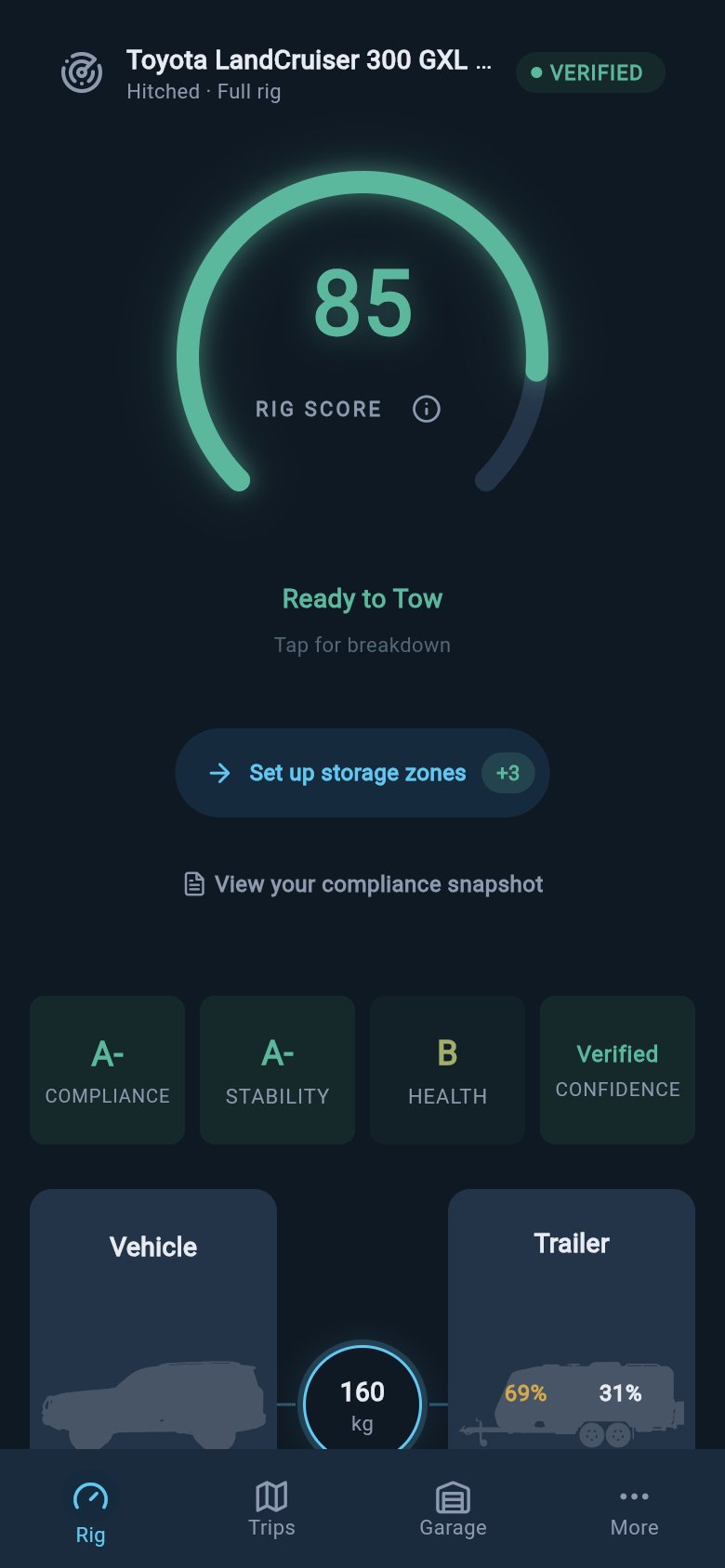
Why a single number helps
Towing safety lives in a lot of small details: a weight limit on a plate, a tyre date on a sidewall, a service that is nearly due, a heavy box that crept to the back of the van. Any one of them is easy to forget on a busy morning. The score’s job is to gather all of them into one read you can take in at a glance, then point you at the detail that needs you. It is a calm instrument, not an alarm. It does not predict your trip, it does not learn, and it is not an AI judgement. It is calculated from the figures you enter, so it is only ever as good as your data, which is exactly why one part of the score watches how complete that data is.What the score watches
The score keeps an eye on four areas. You can see each one in the grade cells under the gauge. This page keeps each to a single glance. For every individual check behind a category, see The score breakdown.Compliance
Compliance is the legal floor: the weight and plate-limit checks for your rig, such as your loaded tow-vehicle limit (GVM in AU, MAM in the UK, GVWR in the US and Europe/international), the combined limit (GCM / Gross Train Weight / GCWR), the trailer limit (ATM / MTPLM / Trailer GVWR / GTWR), axle limits, and the weight on the coupling, shown as tow ball mass (AU), nose weight (UK), tongue weight (US), or coupling load (Europe/international). Why it matters: every limit on those plates is a real engineering boundary. Run over your trailer limit and the axles, tyres, and chassis are carrying more than they were built for. Being within these limits is the minimum, not the whole picture, because a plate-compliant rig can still handle badly on the road. The Compliance Snapshot is the detailed view, listing every weight, limit, and margin row by row.Stability
When you are hitched, the score watches stability: how the rig will behave once you are moving. This covers how much weight presses down on the tow ball, how well the vehicle and trailer are matched, how the load is arranged, and the size and shape of the trailer. Why it matters: this is the handling question that compliance alone cannot answer. Too little weight on the ball and the trailer starts to wag the car, which is the classic recipe for sway. Heavy items at the very back of a long van swing like a pendulum and make sway worse. A good coupling-weight figure is not a green light if heavy gear still sits out at the ends, so the score reads weight placement alongside the ball figure. When you are not towing, the score watches solo stability instead: how high your load sits, how it splits front to rear, and how much weight is up on the roof. This gives a roof-loaded touring vehicle a real handling read even with no trailer attached, because a tall, top-heavy load raises the tip-over risk in a swerve or a roundabout.Health
Health looks at your service status and your tyre condition. Entering tyre dates and your service schedule moves the score in both solo and hitched modes. Why it matters: overdue brakes, bearings, and fluids are exactly the parts that fail under towing strain, and tyre rubber hardens and cracks with age regardless of how much tread is left. Keeping these current is real safety work, so the score reflects it in the number rather than leaving it outside.Confidence
Confidence is a separate measure of how complete and trustworthy your entered data is. When important details are missing, estimated, or old, the displayed number is pulled down so it does not pretend the data is stronger than it is. As you add accurate, measured data, your confidence rises and the true score shows through. Why it matters: a confident-looking number built on guesses is a false reassurance. loadmate would rather show you a lower number and tell you what to firm up. The score is calculated from the data you enter; it is not a prediction or an AI judgement.How loadmate names your confidence
Next to the gauge, loadmate shows a confidence badge. It is a plain word for how much measured data sits behind your score:
The way to raise the badge is the same simple work every time: weigh the rig, ideally at a weighbridge; fill in your loads, storage zones, and tyre details; and re-weigh after big changes. Each step earns a stronger badge and lets the real score come through. Other pages in this section point back here when they mention confidence, so this is the one place to read what each badge word means.
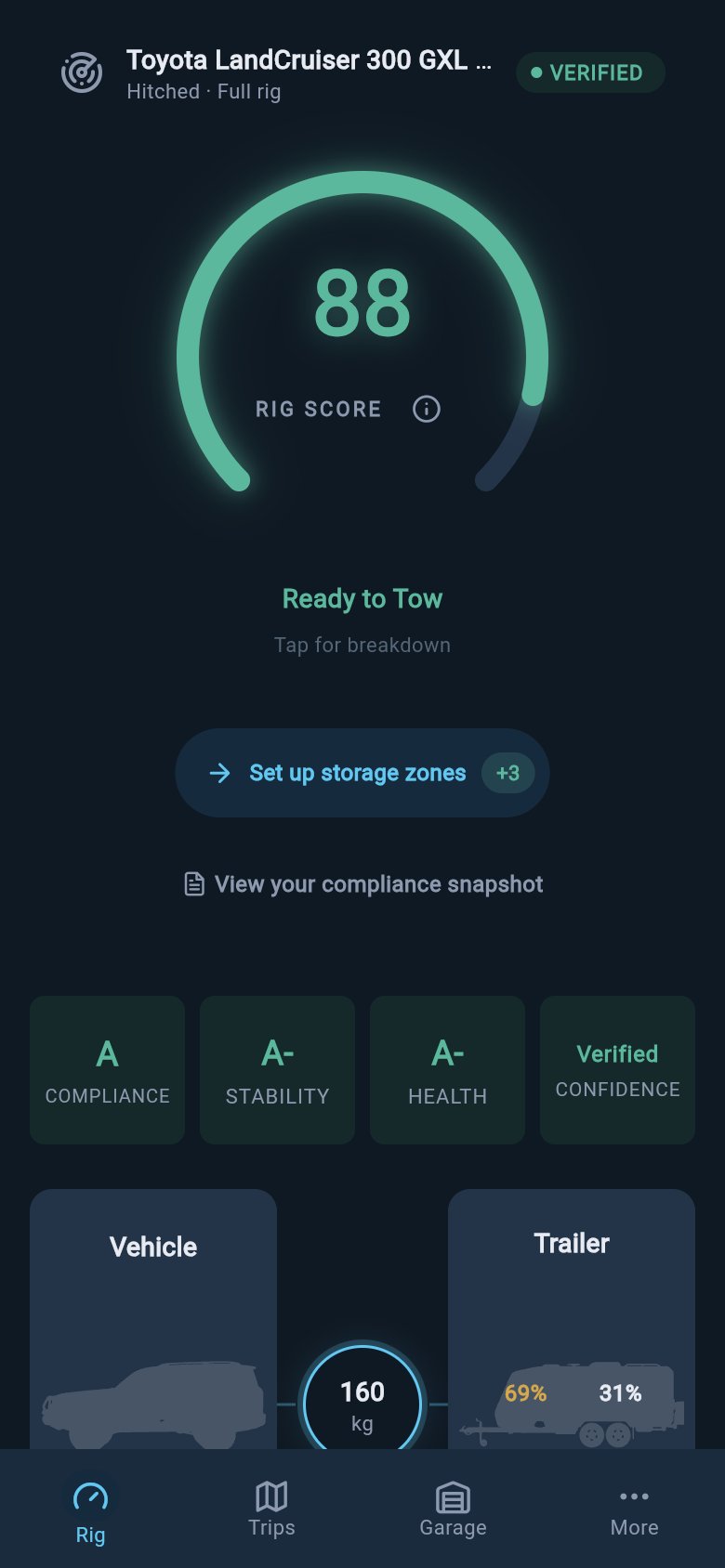
Confidence badge beside the score
The confidence badge is about your data, not your rig. A Verified badge on a low score still means a low score; it just means you can trust it. An Incomplete badge means add data before reading the number too closely.
The locked gauge and what to fill in
Before the gauge can show a real number, the score checks that you have entered enough to score accurately. It looks for the minimum the calculation needs: your vehicle plate limits and a baseline weight, plus, when you are hitched, the trailer’s limit and baseline and both the vehicle and trailer storage zones. In solo mode, the trailer and storage-zone items do not apply. If that minimum data is missing, the gauge locks and reads Incomplete Setup instead of showing a misleading high or low number. A locked gauge is not a penalty for a half-set-up rig. It is a setup prompt. It names the missing item in plain words, such as your vehicle compliance limits, a vehicle or trailer baseline weight, the trailer limit, or your vehicle or trailer storage zones, and it gives you a path to fix each one. Why it matters: a score built on a missing weight or limit would be a number loadmate cannot stand behind. Locking is the app refusing to pretend. Add the named input, then return to the Rig tab and let the score render from the updated data. While the gauge is locked, the next-action line and the score history are hidden, because there is no settled score to attribute them to yet. The Compliance Snapshot stays one tap away, so you can still read your legal compliance rows before a full score is ready. For help reading a locked gauge, see Missing data.If your number changed
The score is not a one-off badge. It moves when your loads, weights, tyres, service, or confidence change, and when your rig switches between hitched and solo. That is by design: it is meant to track your real setup, not sit still. When the number moves, open the grade cells and look for the one that changed. A new load can shift Stability, a weigh-in can shift Compliance, and an overdue service can shift Health. For the full, step-by-step way to trace a change against what you did recently, see My Rig Score changed - why?.Some actions you reach from the score area write to your own rig data, such as editing a load or recording a weigh-in. loadmate prompts before those changes are saved.
Where to read more
The categories above are the quick version. The other pages in this section go deeper:- For the colour bands, the grade cells, and the score history without the formula, see Score bands and the grade strip.
- For every check behind each category, see The score breakdown.
- To raise the number with practical changes, see Improve your score.
- For plain definitions of any towing term used here, see the Glossary.
Try it now
Open the Rig tab and read the gauge first. Then look at the cells underneath to see which area is shaping the number, and check the confidence badge to know how much measured data sits behind it. If the gauge reads Incomplete Setup, follow the missing-data line and complete the named item before you read the score as a decision aid.loadmate helps you work from the numbers you enter. Keep your source documents handy, and use a weighbridge, truck scale, or local authority when you need official evidence.