

See when the score moved (score history)
The history chart sits directly under the score on the Rig tab. It shows a compact recent trend of how your displayed score has moved, covering the last 180 days, with one value kept for each day. Tap it to open the full history sheet, where range chips let you change how far back you look. The chart tells you when the score changed. It does not label the cause of each move, so the trace is yours to make: read the date of a move, then check what you changed around that date. That is by design. loadmate does not guess a reason for you, and it cannot invent a cause it has no record of, so the chart shows the timeline and you supply the “ah, that was the day I added the spare battery”.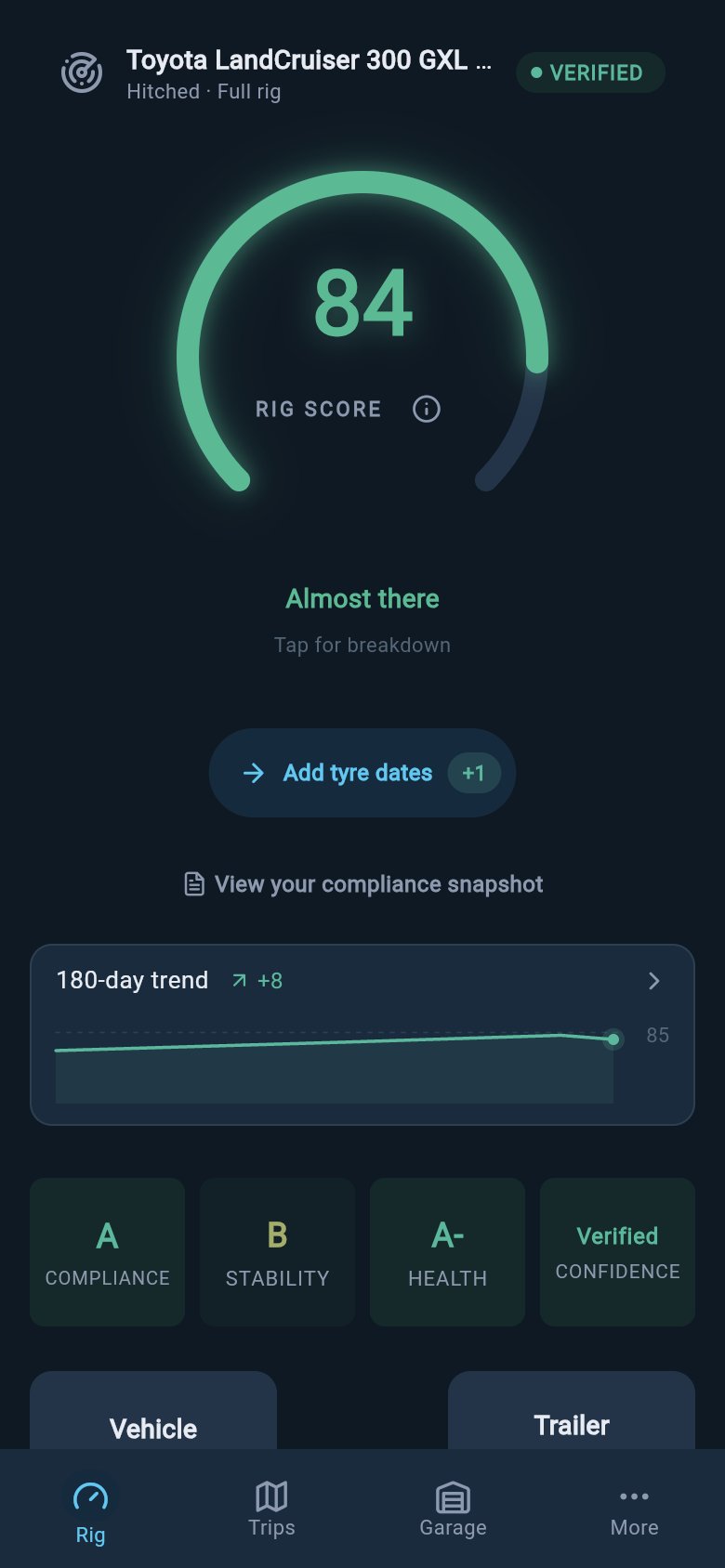
The Rig tab shows recent score movement below the current score.
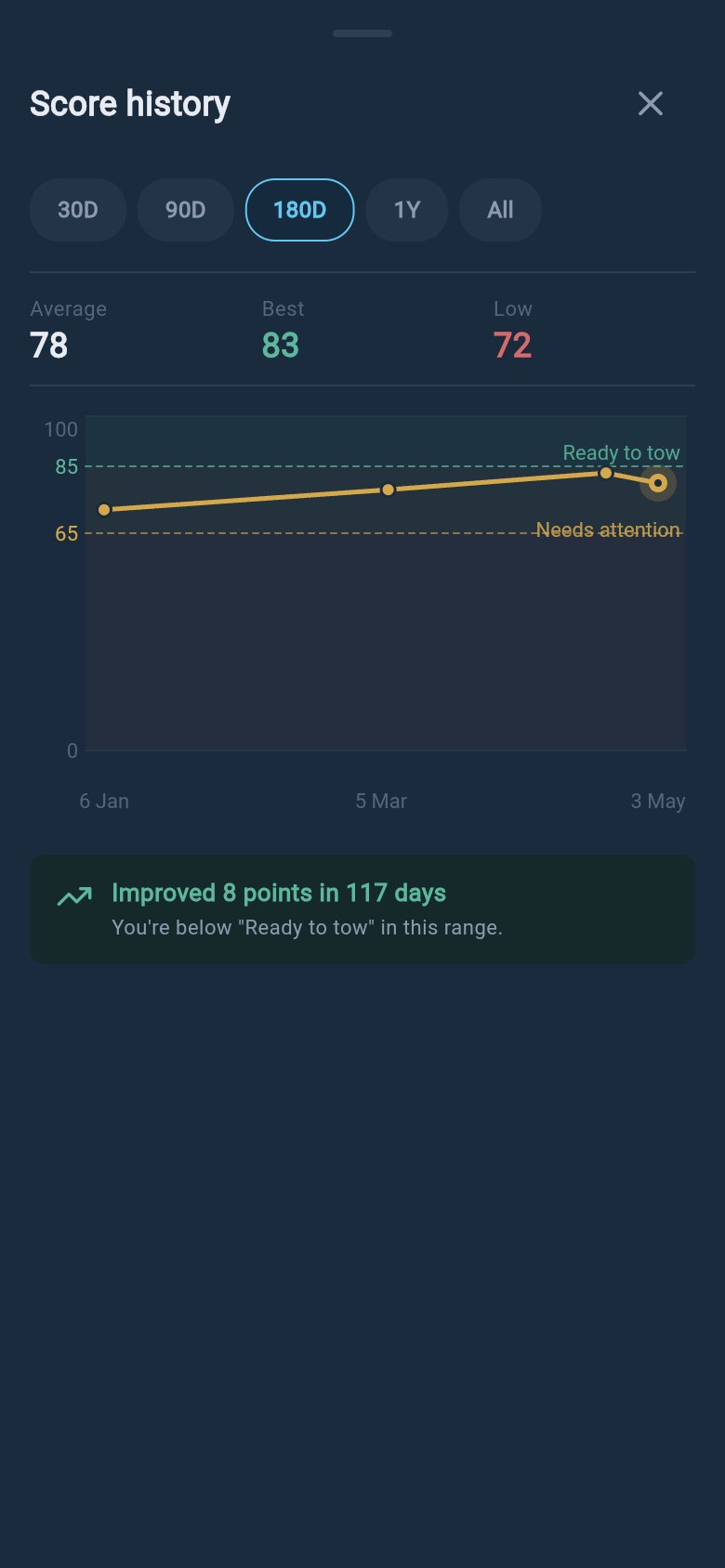
The full score-history sheet lets you change the time range and compare recent movement.
1
Open the history chart
On the Rig tab, tap the small history chart under the score. The full history sheet opens, and the range chips let you widen or narrow the view.
2
Read the date of the move
Find the day the score stepped up or down. That date is your anchor, because the cause is almost always something you saved on or near it.
3
Compare against your recent activity
Line the date up against your recent loads and fills, weigh-ins and tow-ball updates, tyres, services, and any setup edits. Work through the sections below in that order.
4
Open Compliance Snapshot for the exact rows
For the precise limit rows behind a move, open Compliance Snapshot from the Rig tab. It shows your weights and margins against each limit, so you can confirm exactly which figure shifted.
Check loads and fills
Loads are the most common reason a score moves day to day. Every time you add an item, move it between the vehicle and the trailer, remove it, or change a consumable fill, loadmate recalculates your rig the next time you open the Rig tab. One load change can touch more than one part of the score at once, because it can shift how much weight sits against each limit, where that weight sits for balance, and how well measured the picture is overall. Consumables move on their own clock. Water tanks, gas bottles, jerry cans, and food all change weight as you travel, and a single fill-level tap updates them. If you topped up the water or ran a tank down between trips, that alone can move the score, even though you did not touch a single packed item. A trip is just another place this happens: if you packed differently for a journey or kept a weight change at the end of it, that change stays on the rig and the score reflects it. loadmate only recalculates from what you actually saved. It does not estimate a load you did not enter or quietly adjust a fill level behind your back, so if a load change lines up with the date, opening your loads will show you exactly what is assigned where.Check weigh-ins and tow-ball updates
Two separate things in this area can move the score, and it helps to tell them apart. A professional weigh-in is a full record from a weighbridge or mobile weigher. When you set one as your active baseline, the score starts working from those measured numbers instead of your earlier estimates, so the displayed number can move noticeably. Switching which weigh-in is active does the same thing, because it changes the foundation the whole score is built on. A tow-ball weight update is a separate, lighter action. This is tow ball mass in Australia, nose weight in the UK, and tongue weight in the US. When you take a single coupling reading from a ball scale and save it, loadmate updates your trailer coupling baseline without creating a new weigh-in history record. That update can shift stability and compliance on its own. A weigh-in or a coupling reading usually raises the score’s confidence as well as changing the weight, because measured numbers are firmer than estimates, so a move here is often two effects at once. If a move lines up with one of these, open your latest report to confirm which record is active.Check tyres, services, and setup edits
The health side of the score reacts to the maintenance details you keep current. Adding or editing a tyre profile, logging a service, or updating the odometer can each clear an overdue item or surface a new one, and any of those can nudge the score. The odometer one catches people out: when you finish a trip, loadmate offers to record the odometer, and that keeps your maintenance due dates accurate. So a score that moved after a trip with no other change is often an odometer update from that trip. Setup edits are a different kind of change, because they alter the data the score is allowed to use. Editing your plate values recalculates compliance against the new limits. Changing a baseline weight feeds every calculation that follows. Editing storage zones changes where loadmate thinks weight can sit. The important thing to know is that a setup edit can either recalculate the score or lock it, because if you clear or partly edit a required item, loadmate would rather hold the gauge than show a number it cannot stand behind. If your score locked after a setup edit, the missing-data page explains the line under the gauge and how to clear it.When the move is confidence, not weight
Sometimes the underlying weights have not changed at all, but the displayed score still moves. The number you see is the raw score scaled by how sure loadmate is about your data. When your data is complete and recently measured, the displayed score sits close to the raw score. When data is thin, estimated, or out of date, the displayed score is pulled down, so the number reflects the real data picture rather than hiding a gap behind a confident figure. This means two things can move the displayed score without any limit being crossed. Filling in load weights, storage zones, or tyre details makes the picture more complete and lifts the score. A recent weigh-in or fresh readings make it fresher and lift it too, while old data slowly lowers it over time. Because the history chart shows the move but not the cause, confidence is often the answer when you cannot find a load or weigh-in change to blame. A score that drifts down with nothing obvious behind it is usually loadmate telling you a measurement has gone stale, not a fault. The fix is to refresh a measurement or fill a gap, and improve your score walks through the practical steps.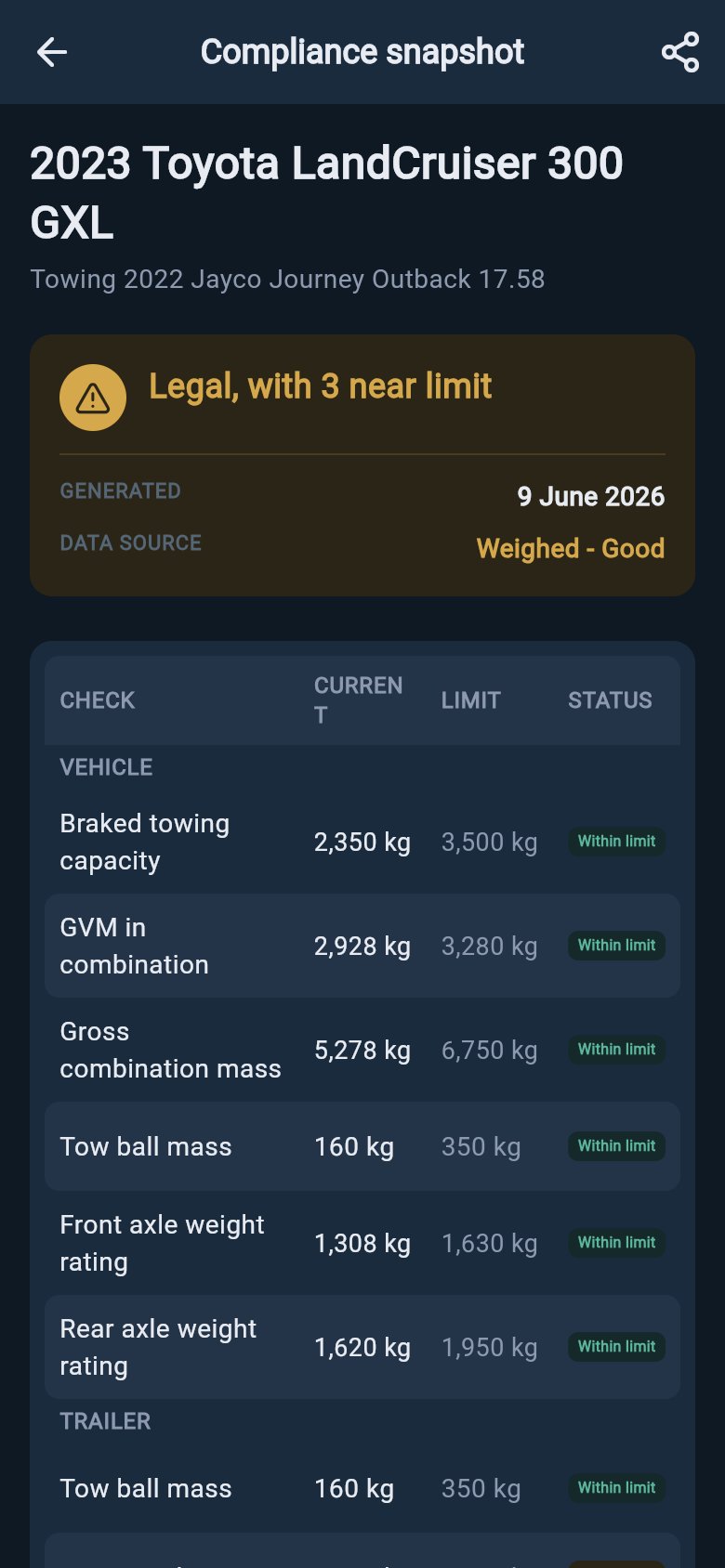
The Compliance Snapshot explains what changed and how confident loadmate is in the number.
Where to go next
Improve your score
The practical steps that lift the score, from filling a data gap to refreshing a measurement that has gone stale.
Read a weigh-in report
Confirm which weigh-in is your active baseline and read the measured numbers the score is built on.
Score is locked or missing data
If a setup edit locked the gauge instead of moving the number, this page shows you how to clear it.
Activity and alerts
A dated record of the alert actions you took, handy for lining up against a score move.
Viewing your Rig Score, the history chart, and the full history sheet is free for everyone, including demo and lapsed users. The score recalculates on your own saved data, and those saves (loads, weigh-ins, tow-ball, tyres, services, setup edits) need Pro to write, so the demo score will not move from your actions because demo data cannot be edited. loadmate never silently changes your numbers: every move traces back to something you did.