

Edit a vehicle or trailer’s details
Open the asset from your garage to reach its profile. Each section there has a small Edit control. Tapping it opens the Edit details screen for that vehicle or trailer. For a vehicle you can change the nickname, make, model, year, and registration. For a trailer you get those same fields plus two more that describe the trailer itself: its type (caravan, camper, boat trailer, box trailer, fifth wheel, horse float, or other) and its number of axles (single, tandem, or triple). Choosing a fifth wheel sets the axle type for you.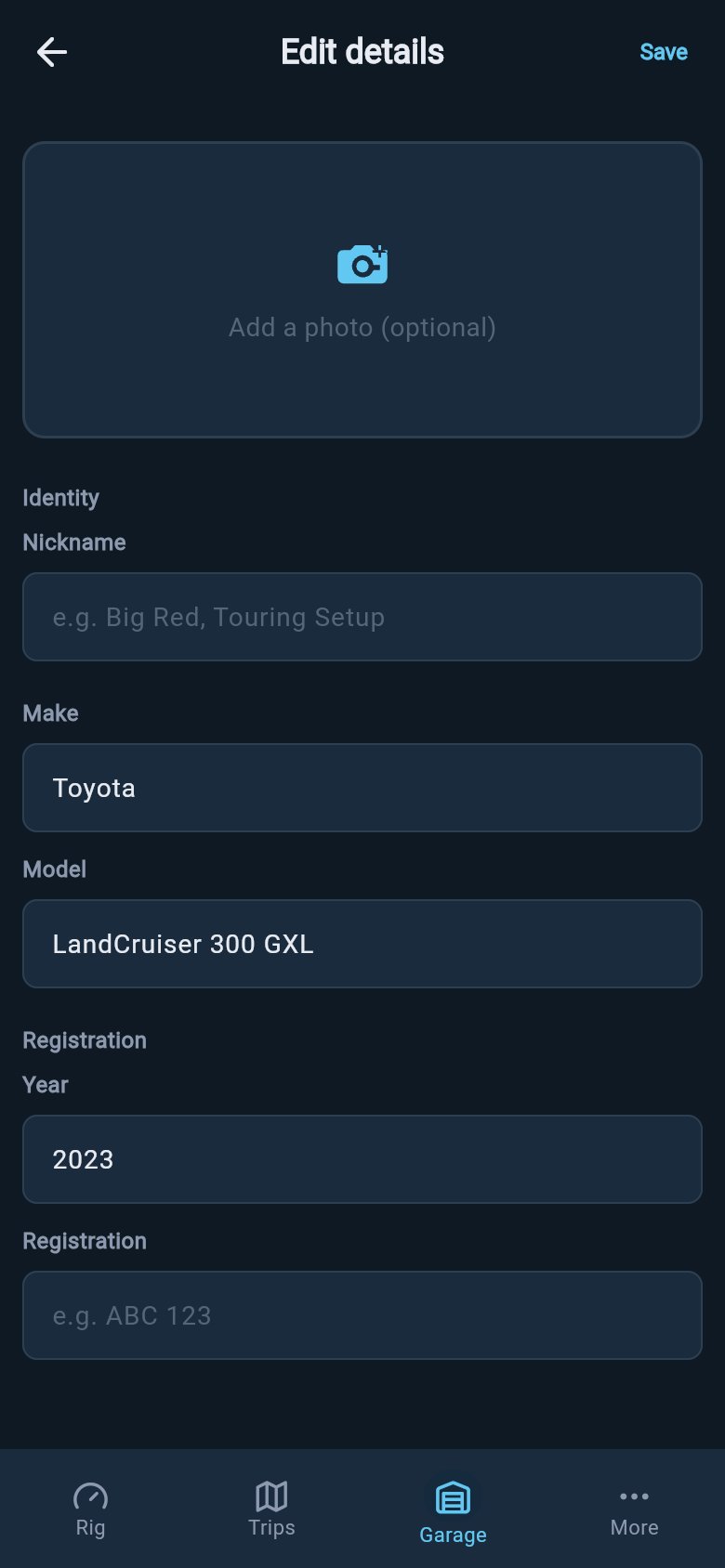
Edit details keeps the visible identity fields for a vehicle or trailer in one place.
Saving a change to your own vehicle or trailer is a Pro feature. You can open the Edit details screen and look around on the free plan, but tapping Save asks you to upgrade. See Free and Pro for what each plan includes.
Change or remove the photo
At the top of the Edit details screen is the photo. Tap it and loadmate offers to take a new photo with the camera or pick one from your gallery. If a photo is already there, the same tap also offers to remove it. A photo is purely for recognition. It does nothing to your numbers or your score. But when you keep two or three similar white vans, a clear picture is the quickest way to be sure you are looking at the right one before you load it.Set an asset aside: archive
When a vehicle or trailer leaves your fleet but you might want its history later, archive it rather than delete it. Archiving hides the asset from your everyday garage while keeping everything about it safe and recoverable. To archive, press and hold an asset’s card in your garage. A sheet slides up asking Archive this one? It explains that the asset will be hidden from your garage and that you can restore it any time from the Archived filter. Confirm with Archive. Archiving is gentle and reversible. The asset and all its records stay exactly as they were; they are simply tucked out of sight. Right after you archive, loadmate shows a short message with an Undo button if you tapped by mistake. If the trailer you archive happened to be hitched, loadmate also quietly unhitches it for you and refreshes the affected rig’s score.Bring an archived asset back: restore
Nothing archived is lost. In your garage, the filter chips along the top include an Archived view. Tap it to see everything you have set aside. Open an archived asset — by a tap or a press-and-hold — and a sheet offers Restore to garage, Delete permanently, or Cancel. Choose Restore and the asset reappears in your garage exactly as it was, history and all, ready to use again.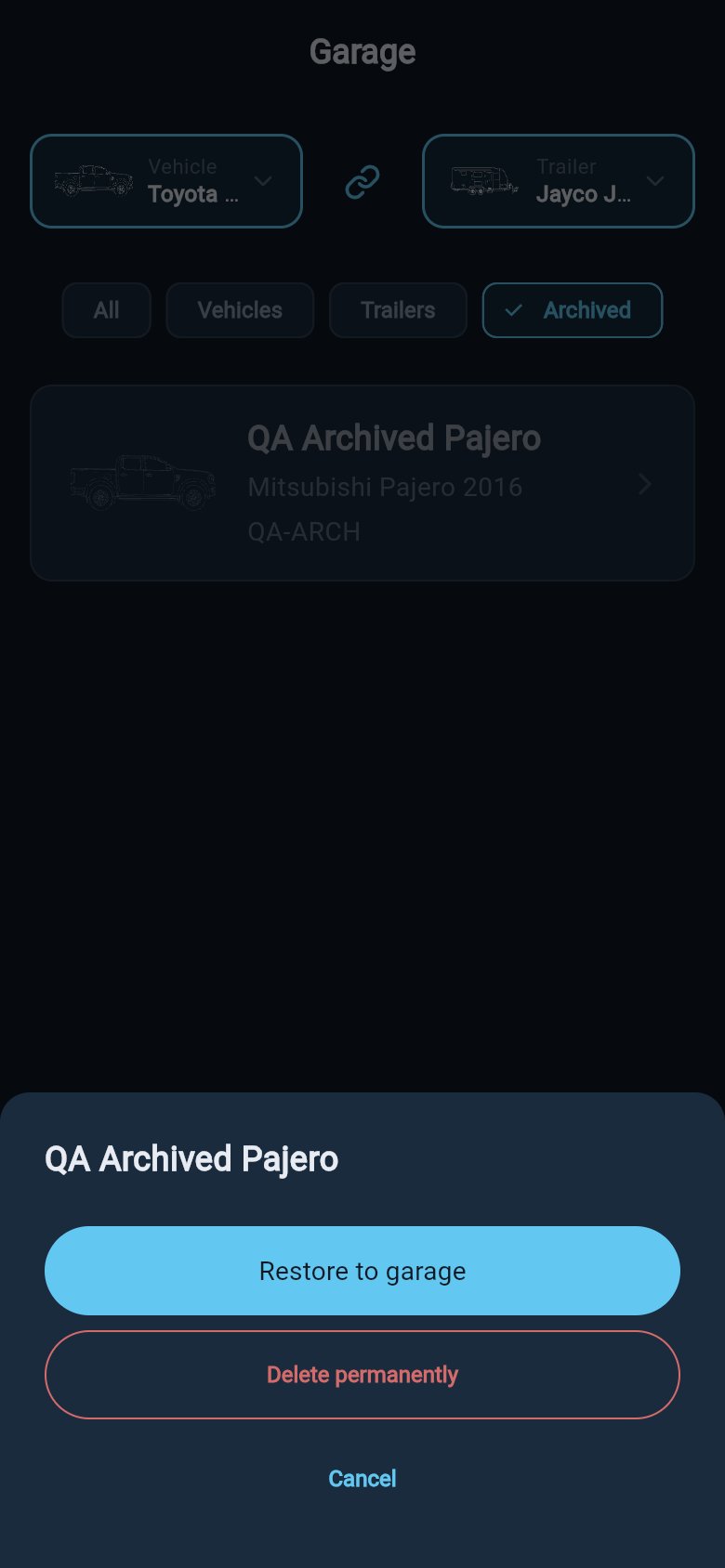
Archived assets stay recoverable from the Archived filter.
When something is gone for good: delete
Deleting is different from archiving, and the difference matters. Delete permanently removes the vehicle or trailer and everything tied to it: its loads, its service records, its warranty records, its photos, and its place in any rig. There is no Archived view to fall back on and no Undo. It is gone. Because of that, the delete sheet does more to slow you down. It lists how many loads, service records, and warranty records will go with the asset, so you can see exactly what you are about to lose. Below that it states plainly: This action cannot be undone. Only then does it offer the red Delete permanently button.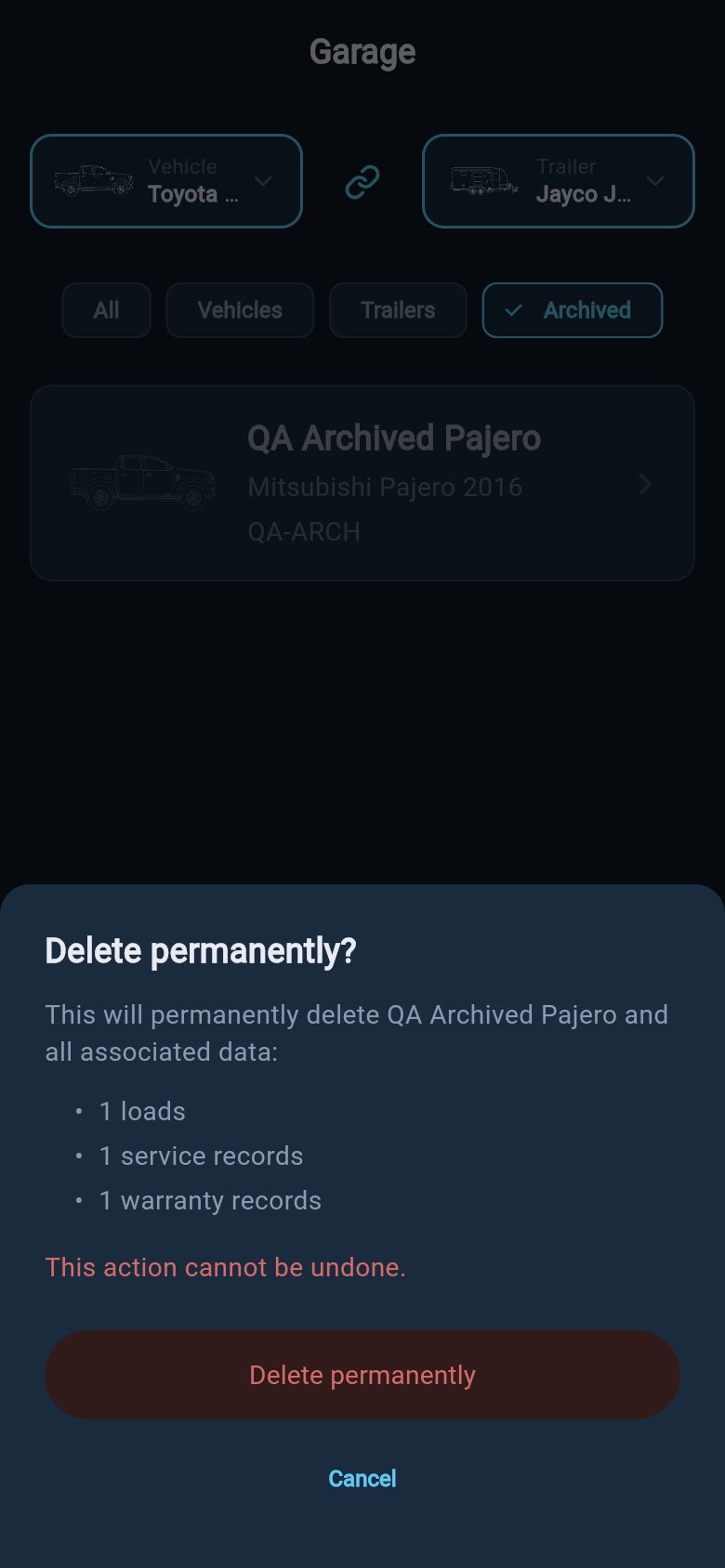
Permanent deletion lists the records that will be removed with the asset.
Why demo vehicles cannot be changed
If you are exploring loadmate with the built-in demo rig, you will notice that pressing and holding a demo card does nothing, and the demo assets cannot be edited, archived, or deleted. This is deliberate. The demo rig is there for you to look around safely, without any risk of breaking the example or losing your bearings. Nothing you do can damage it, and it never mixes with your own data. When you are ready, add your own vehicle and trailer. From that point on, every part of this page applies to them: edit them, photograph them, archive them, restore them, and — only when you truly mean it — delete them.Where to go next
Your garage
Back to the list of all your vehicles and trailers, where you switch the active pair and hitch up.
Inside a vehicle or trailer profile
Open an asset to read its limits, baseline, compliance, and condition at a glance.
Edit your ratings
Change the weight limits that drive your safety checks — separate from these identity details.
Free and Pro
See which changes need Pro and what stays free, including looking around the demo rig.